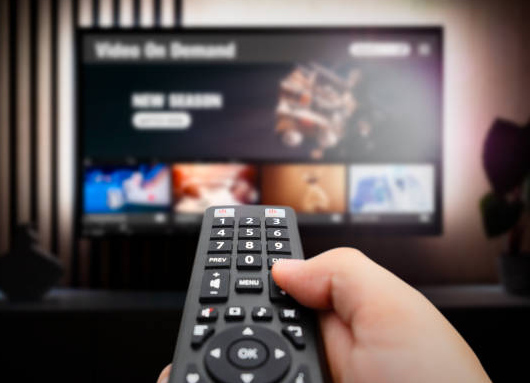
For a lot of households, cable and satellite are officially “in the past.” Streaming on smart TVs and streaming devices has become the new normal, with 83% of U.S. adults choosing these as their main way to watch TV.
But the bigger streaming gets, the more people try to take advantage of the large audience — including sellers pushing streaming boxes that promise free access to paid content or “all the channels” with no monthly bill. The FBI recently shared a warning that some of these devices may be compromised with malware, creating serious security concerns once they’re connected to your home network. (Click here to read the FBI’s official public service announcement about streaming boxes.)
And what makes this one tricky is that the risk isn’t always obvious, or caused by something you intentionally did. In some cases, a streaming device may already be compromised when it’s purchased, or it can pick up malware during setup, especially when it nudges you toward unofficial app downloads.
Once a compromised device is connected to your home internet, it can quietly be “recruited” into a botnet — basically a group of infected devices controlled remotely. That can let criminals use your connection in the background for suspicious activity, often without any obvious signs.
Red Flags For Streaming Devices
-
A brand you’ve never heard of (especially “generic” streaming boxes) → when possible, choose well-known, trusted brands, like Roku, DirecTV, or Fire Stick.
-
An unfamiliar app marketplace or “alternative” app store → download apps only from official, trusted sources
-
Anything asking you to disable Google Play Protect or a device that isn’t Play Protect certified → This is how Android and Google Play store ensure you are downloading something safely. If it’s not Play Protect certified, it’s unsafe for your network.
-
Marketing that promises “unlocked” devices or free streaming → If it feels too good to be true and sketchy, it probably is.
- Oddly-named devices on your network → The most common streaming box name we’ve been seeing on our customers’ networks is “CHINA DRAGON TECHNOLOGY LIMITED device”. Check what’s connected to your Wi-Fi in the My Valley Wi-Fi app and remove anything you don’t recognize.
-
Slow internet after you purchased the streaming device → We often get calls about “slow internet” from customers after they purchase and hook up these streaming boxes. They think it is something on our end, when in fact, it’s the unsafe streaming device using almost all of their bandwidth.
Fiber makes it easy to do more online — streaming included — but the best streaming device is a fast one and a secure one. If you want help figuring out whether a device is a good idea (or what’s connected to your network), we’re here for you.
Call us at 1-866-45FIBER or reach out through our Contact Us page.